Your New Website Could Be Destroying Years of SEO Work. Here Is How to Migrate Without Losing Your Rankings.
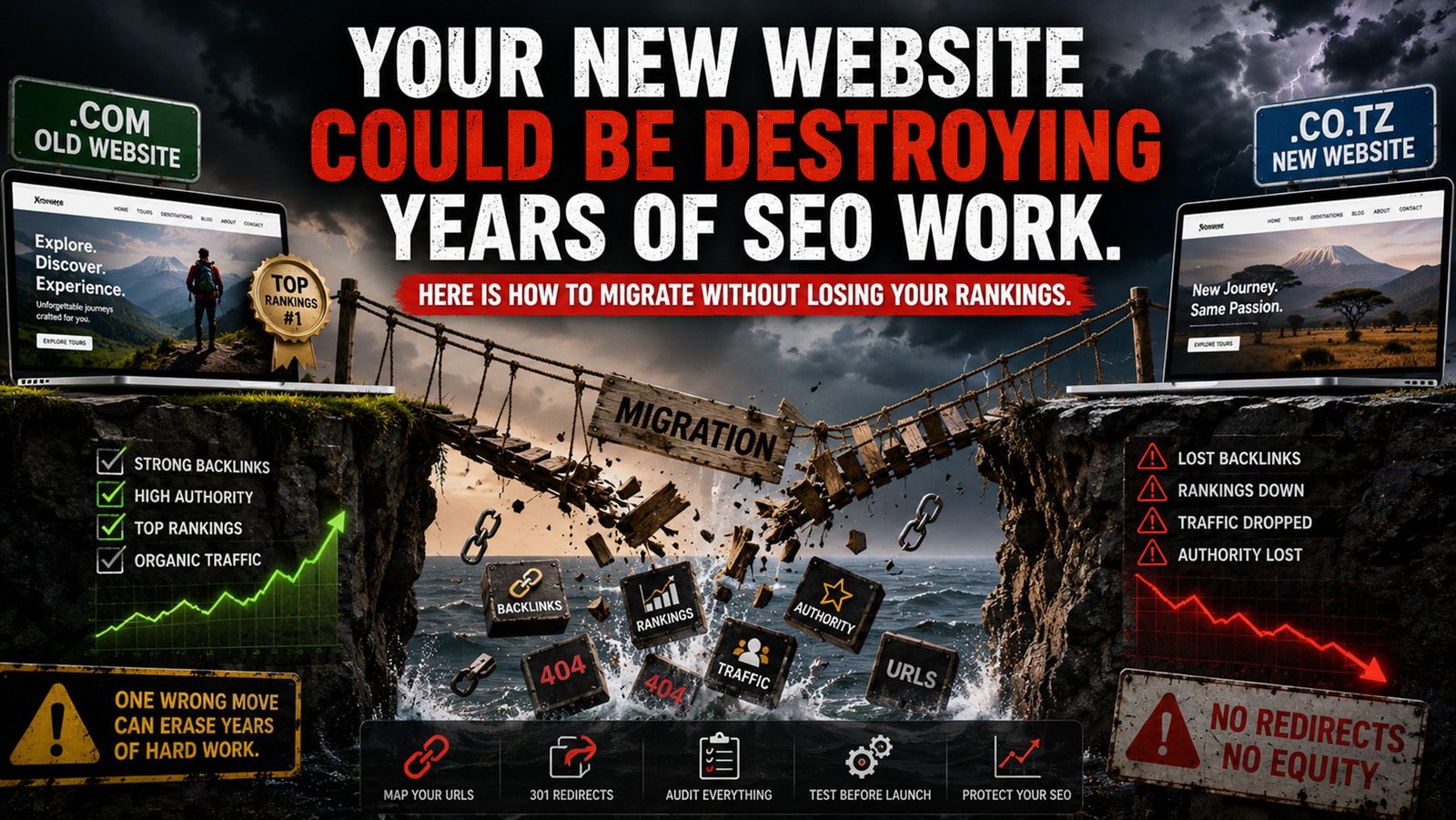
I recently audited a website for a company that had migrated from a .com domain to a .co.tz domain. On paper, the move made sense. They wanted a local domain that matched their market, looked more credible to their audience, and signalled where they operated. The intention was right. The execution was not.
When I dug into the site, the first thing I checked was their redirect setup. What I found was that they had only redirected the homepage. The old homepage pointed to the new homepage. That was it. Every internal page, every destination page, every blog post, every tour listing page on the old domain was either returning a 404 error or going nowhere. And this company had backlinks. Years worth of external links pointing to specific pages on that old domain. All of that link equity, built up over time through PR, directory listings, travel publications, was sitting on dead URLs pointing at nothing.
That is what a careless migration looks like. And this kind of thing happens more than most people realize.
What a Migration Actually Does to Your SEO
A website migration, whether it is a domain change, a redesign, a CMS switch, or a URL restructure, is one of the highest risk things you can do to a site from an SEO perspective. According to research published in 2025, 60% of website migrations result in organic traffic loss. Not a short dip that recovers in two weeks. A sustained loss that takes months to come back from.
The average recovery time for a poorly executed migration is over 500 days. And 17% of sites that experience traffic loss from a migration never fully recover their original rankings, even after three years. Only about 1 in 10 migrations actually result in improved SEO performance. The rest either stay flat or go backwards.
Even when migrations are handled well, there is typically a 20 to 40% temporary drop in rankings as Google re-evaluates the site. That is the expected hit on a good migration. On a bad one, the losses are far deeper and far harder to reverse.
These are not scare tactics. They are the numbers. And they explain why I always tell clients: the cost of getting a migration wrong is almost always higher than the cost of getting it right upfront.
The Mistake That Kills Most Migrations: Ignoring Your Backlink Profile
Here is the thing about backlinks. When another website links to a specific page on your site, that link is pointing to a URL. Not your domain in general. Not your homepage. A specific URL. That link carries authority and trust that has been built over time.
When you migrate your site and that URL changes or disappears without a proper redirect, that link breaks. Google crawls the old URL, finds nothing, and eventually removes that page from the index. The authority that backlink was passing to your site goes with it. You do not get it back unless you either fix the redirect or go back to every publication and ask them to update the link, which is a painful process.
The company I mentioned at the start had done the bare minimum. They set up one redirect and called it done. What they should have done, before a single page went live on the new domain, is audit every URL on the old site and map where each one should point on the new site.
This is not complicated work but it requires discipline. You export all your URLs using a tool like Screaming Frog. You pull your backlink profile from Ahrefs and identify which specific pages have external links pointing to them. Then you create a spreadsheet. Old URL on the left. New URL on the right. Every single page accounted for. The pages with the most backlinks get the most attention. Those are your highest priority redirects.
The Homepage Redirect Trap
One of the laziest things a developer can do during a migration is redirect every old URL to the homepage. Or worse, only redirect the homepage and leave everything else broken.
I see this constantly. The logic seems to be: at least the homepage works. But from an SEO perspective, redirecting an old tour page or a specific destination article to the homepage is almost as bad as not redirecting at all. Google knows the homepage is not the relevant equivalent of that old page. The link equity passes through weakly or not at all, and the user who clicks an old backlink and lands on the homepage with no context just bounces.
Every old URL should redirect to the most relevant equivalent page on the new site. If you had a page about Mount Kilimanjaro trekking itineraries that earned backlinks from travel publications, and your new site also has a Kilimanjaro page, those two pages should be connected with a proper 301 redirect. That is a permanent redirect that tells Google the page has moved here permanently, and transfers the authority from the old URL to the new one.
The only time a homepage redirect is acceptable is when the content from the old page genuinely no longer exists on the new site and there is no relevant equivalent to point to. Even then it should be a last resort.
Step One Before Any Migration: The Backlink Audit
Before your web designer opens a new file, before the wireframes are built, before a single decision is made about the new URL structure, you need to know where your backlinks are pointing.
Open Ahrefs or SEMrush. Pull a full export of every backlink pointing to your domain. Sort by the number of referring domains. Identify your top linked pages. These are your most valuable URLs. Whatever happens to those pages in the new site, those URLs must be accounted for. Either recreate the same pages at the same URLs so no redirect is even needed, or build the equivalent pages on the new site and set up clean 301 redirects.
If the new site is going to have a different structure, which is common when you are also redesigning, make sure the most linked pages have clear equivalents. Do not let a developer reorganize your URL architecture without telling you exactly what is happening to the pages that already have authority.
Step Two: Let Keyword Data Inform the New Structure
A migration is also an opportunity, but only if you treat it like one. Most businesses approach a redesign from a design perspective. They think about how the new site looks, how the navigation flows, what the brand feels like. All of that matters. But your URL structure and page hierarchy should be driven by keyword research, not just design preferences.
Before building the new site architecture, pull your keyword data. Look at what terms each of your key pages was already ranking for. Look at the bottom of funnel keywords, the terms people search when they are close to making a decision, like “5 day Serengeti safari private tour” or “Ngorongoro crater lodge availability.” Every important page on your new site should have a clear keyword target that justifies its existence.
This is especially important for destination and tour category pages, which are the highest value pages for most safari and travel businesses. The page structure, the H1, the URL slug, the meta title, all of it should be built around a specific keyword that has real search demand. If you are rebuilding a site without doing this work first, you are designing a new house without checking the foundations.
Step Three: Use 301 Redirects Correctly and Keep the Old Domain Live
Once the new site is ready to launch, you need a 301 redirect for every old URL that is changing. Not a 302, which signals a temporary move and does not properly transfer authority. A 301, which is permanent and tells Google to transfer the ranking power of the old URL to the new destination.
After you launch, keep the old domain live and pointing to the new one for at least twelve months. Some of those backlinks will continue driving traffic for years, and as long as the redirect is in place, the authority keeps passing through. Taking the old domain offline too early cuts off that flow.
Submit your updated XML sitemap to Google Search Console immediately after launch. If you changed domains, use the Change of Address tool in Google Search Console to formally notify Google of the domain move. This speeds up the re-indexing process significantly.
Then monitor every day for the first month. Check for crawl errors, 404s, and redirect chains. A redirect chain is when URL A points to URL B, which then points to URL C. Every extra hop in a chain dilutes the link equity being passed. Keep your redirects clean and direct.
The Bottom Line
Migrating a website without doing this work is like moving your physical business to a new location and not telling anyone where you went. Your existing customers, the ones who already knew you and trusted you, try to find you and get an error. They give up and go somewhere else. Meanwhile you are spending money on the new place wondering why nobody is coming through the door.
The research is clear on this. Migrations go wrong more often than they go right. But the mistakes are almost always preventable. Audit your backlinks before you build. Map every URL before you launch. Let keyword research drive the structure of your new site. Set up proper 301 redirects at the page level, not just at the homepage. And keep monitoring after you go live because the work does not end on launch day.
If you are planning a website migration or a redesign and you want someone to do the SEO groundwork before you build, reach out to us at SEO Agency Kenya. Getting this right from the start is always cheaper than trying to recover afterwards.